MLO stands for Multi-Link Operation. Before we delve into what MLO is, it is necessary to visualize how an AP to station client connection was created and operated pre-WiFi7. The below diagrams depict that:
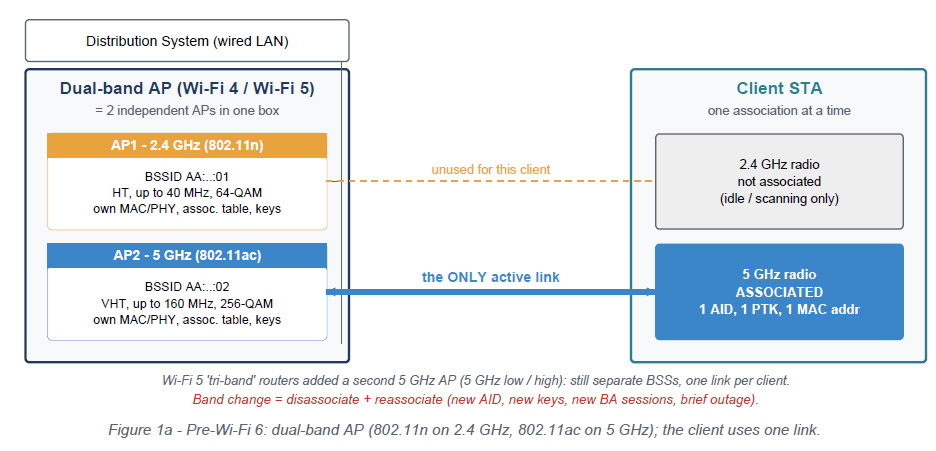
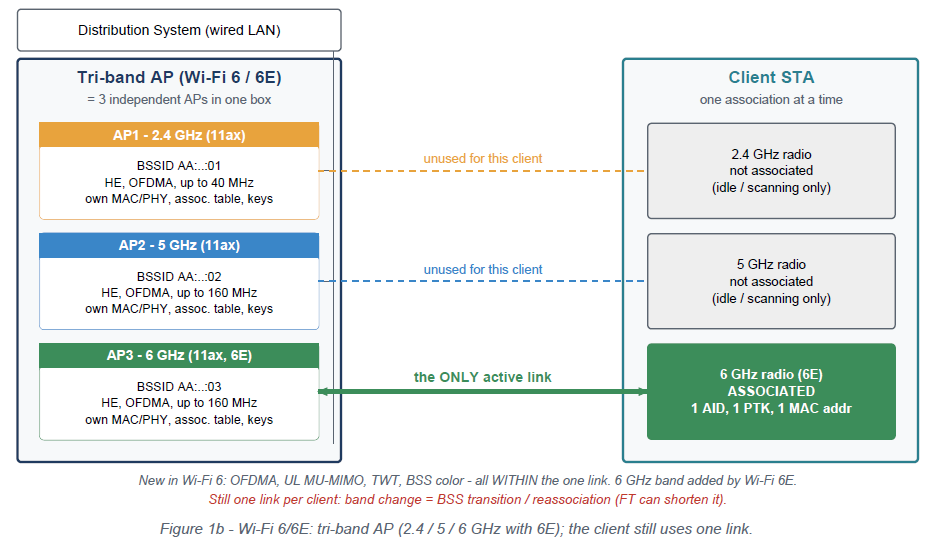
As can be seen from the block diagrams above, the AP and 802.11 client connected on one interface only. When it had to move to a different SSID on a different band on the AP, the connection to the previous connection had to be severed and a new connection with the AP established. This is where a Multi-Link Operation setup varies as shown in the block diagram below.
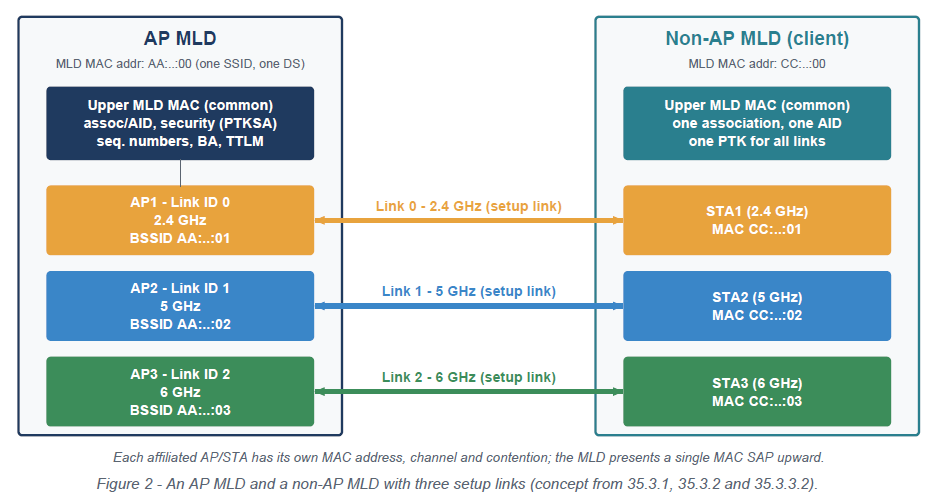
The above diagram introduces the concept of an MLD (Multi-Link Device) entry which maintains one MAC Service Access Point (SAP) interface with the upper layers. Each link contains its own MAC address, LINK ID, EDCA and other parameters for proper operation. However, the upper layer sees the MLD as its interface. Now, data to the AP can flow through multiple links or also be sent on a specific link if the other link is congested. We will look at MLO use cases in a later article and how MLO was thought out to improve throughput and efficiency.